Accomplishments
- Rethink Matching and Alignment
- New Spatial Awareness Checks
- Doorway Mask Improvement
- Doorway Side Check
- Test New Depth Estimator
Bonus
- Frontend Updates
Breaking down problems into smaller problems is often the right call, though sometimes even this can have unintended consequences. I had broken down the problem of finding camera positions into two steps: matching cameras, and aligning them together. With non-determinism and a lack of data, these steps alone could not guarantee a consistently correct outcome. I returned to look at the bigger picture and saw that positioning the cameras would benefit from a conceptual shift. Rather than matching then aligning, we focus on the original problem “posing” and with the combined data can determine better more consistent outcomes.
This conceptual shift helped me identify three new spatial awareness checks, lead me to reviewing new AI models for depth and mask detection, and improving the doorway identification system. All these changes necessitated frontend updates for compatibility, and while performing these I also added new tools for visualizations.
Rethink Matching and Alignment
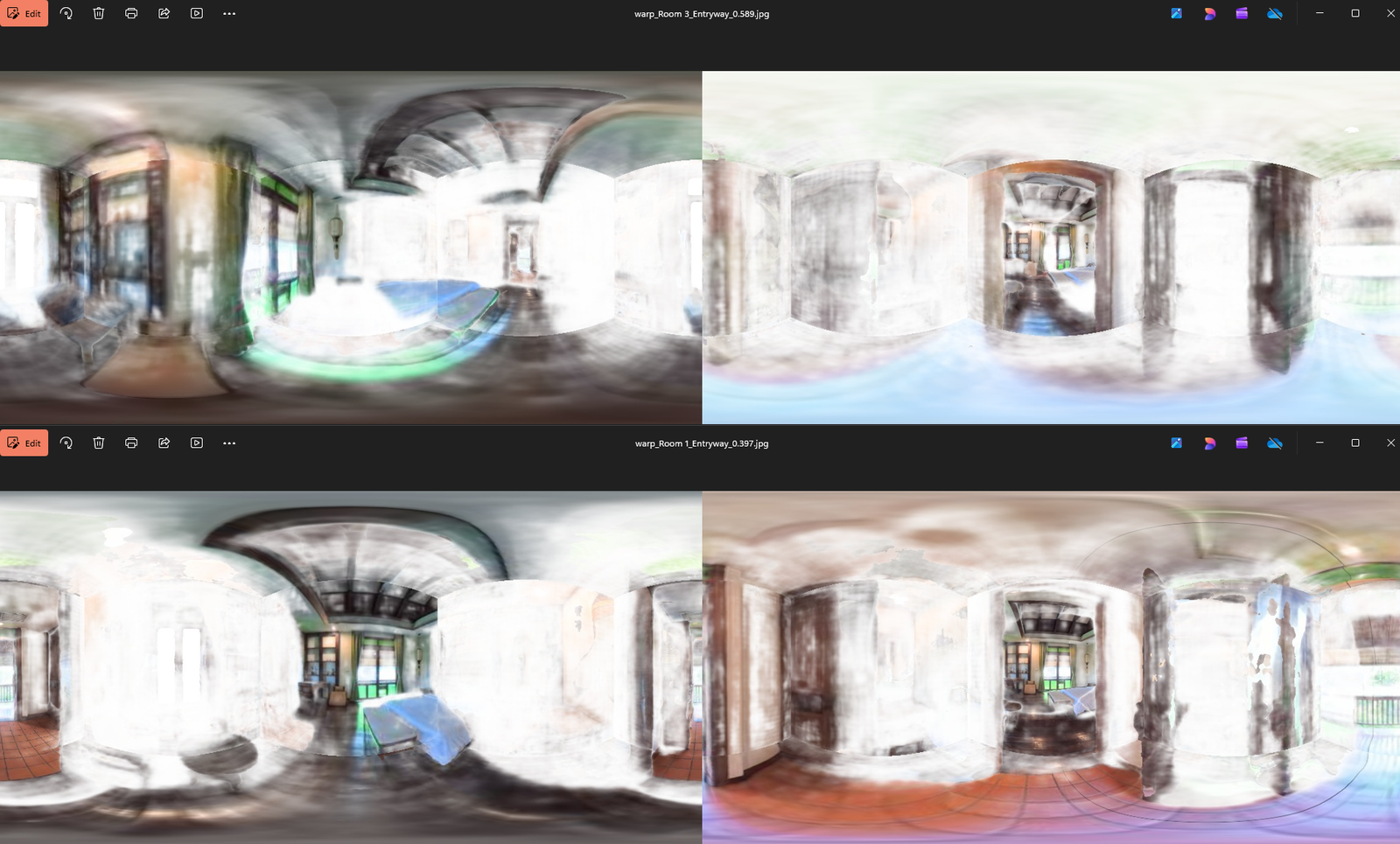
Let’s review the data we have available. To start we begin with a sparse and unordered group of 360 equirectangular images. Some rooms of the property may only be covered by one image through a narrow doorway. We derive depth through an AI tool, and attempt to identify doorways with another. Both of these values vary in accuracy.
We feed the images and masks through two image matchers. The coarse matcher is like a big rake and swiftly removes the majority of very different photos, and narrows them down to the ones that look most similar. The fine matcher is like a much smaller comb, that takes longer and removes the most un-alike images. Up until now we determined camera connections solely on the heuristic of how “alike” two camera scenes were.
Here is where I needed to step back. Image matchers match images with likeness. That means two different bedrooms will score higher than a bedroom and a restaurant. The fine matching does a great job at determining if it’s the same bedroom, and that is why it works so well for matching rooms. It can match between rooms well too. It can tell every pixel that exists within the doorway. However, even with all the pixels in a doorway that may only be 15 percent of a scene, and two rooms with similar paint and tile may score a similar rate. Two similar looking rooms may very well be a better match than two different rooms connected by a door, as that is what matching is for, similarity, not structure.
So I looked to clearly define what I want. I wanted matching, because similarity is an important heuristic that tells me the likelihood that two images are related. And I wanted those matches in their correct positions in 3D space. They couldn’t just be similar, they had to be an extension of the same space. So I decided to collapse the separate steps of “match then align” and rework them under the umbrella of “positioning”.
Here the steps work towards the same goal, finding the proper position for each image. Matching still runs, but it no longer determines the final result. The non-deterministic heuristic of match confidence is now constrained to act as a gate, or threshold. Two highly confident matches will no longer compete to be the primary based on visual likeness, instead two visually alike images will proceed to the new stage spatial awareness.
Spatial awareness matches images beyond their aesthetics. It uses the accurate area of estimated depth to align the two images. Based on this alignment it determines four things: camera proximity, line of sight, distance, and spatial agreement. Based on these we cull spatially inconsistent matches, and determine the most spatially similar and close camera positions to be the final topology.
This change has made outputs more consistent and accurate across every dataset.
Spatial Awareness Checks
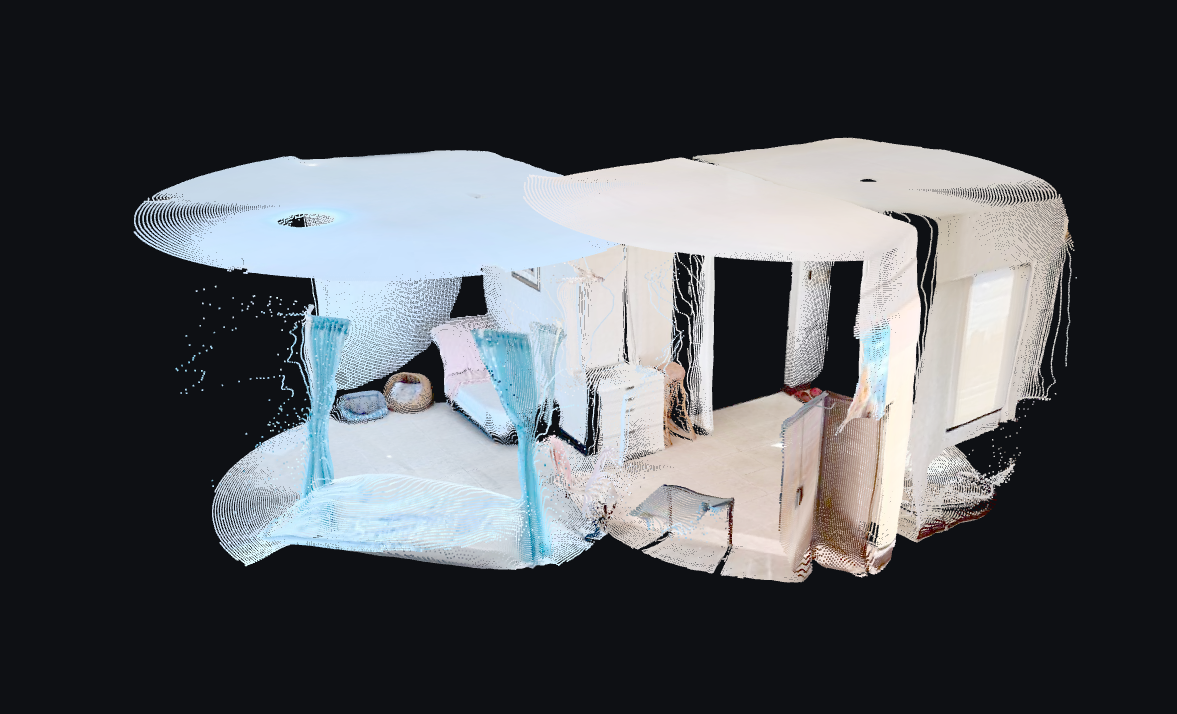
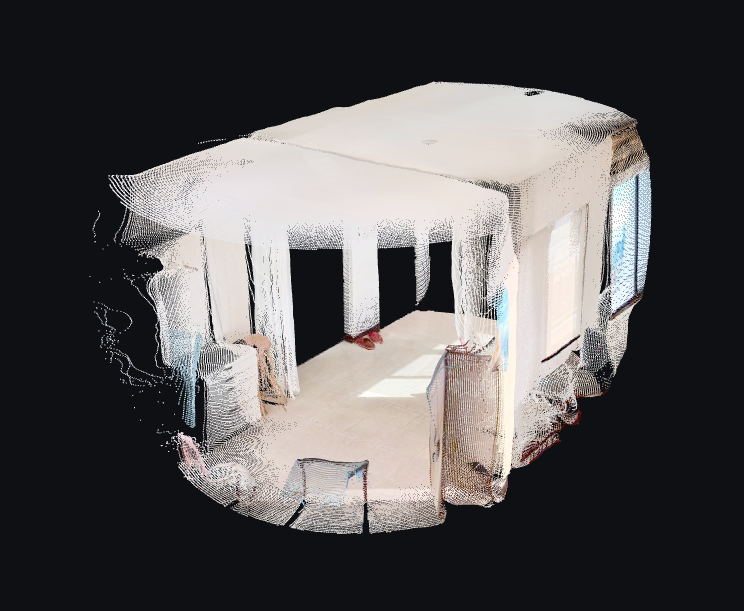
Determining a camera’s pose requires that the images are to be similar and the space encompassed in it to agree. A variety of values are used to determine overall spatial agreement, including camera proximity, line of sight, distance, and point cloud consistency.
Camera proximity and line of sight do a great job to remove bad matches quickly. Once two point clouds are aligned it checks each camera’s expected position. Cameras that are in nearly the same position are often missed copies or bad alignments. The algorithms currently in use often find no translation for bad matches. This is a big indicator of connections that are misleading and should be removed.
Camera line of sight is another great step in removing bad connections. Say you have two images around an L shaped corner. They are very similar, and have many matching points at the joint of the hallway. However, the cameras themselves cannot see each other, a wall lies between them. This puts the match on hold. The desired use case, virtual tours, should often include line of sight photography for the user to virtually “walk” through the space, and view the next room’s hotspot in 3D. This promotes cameras that can see each other, as well as swiftly removes outliers where two distinctly different rooms become aligned, and the cameras cannot connect at all. Images without line of sight remain as a fallback if no good matches are found. This can be useful in some instances where opened doors always block one entrance or the other.
Camera distance tells us how far it thinks the cameras are apart. Once aligned we can estimate this. This helps us build a graph with connections that are closer, and more likely follows the path of the photographer throughout the shoot. This also helps us manage the inaccuracies of the depth estimation. The further from the camera, the less accurate the 3D point cloud. So closer cameras persist higher accuracy point clouds throughout the 3D scene.
Spatial agreement, or point cloud consistency, is the final check. You may have two nearby cameras, with line of sight, that are visually similar, but the rotation and room shape itself may be completely different. Children can understand that the square block does not fit in the circle hole, how can we tell a computer to do the same? We can do this with voxels. The 3D grid becomes comprised of cubes, and each cube looks for points in them. If it sees points from both images, it considers that consistent, and if it sees only one, it checks if the other image believes that space to be empty, and if it does that voxel, or box, gets flagged as inconsistent. This consistency check gives us a valuable heuristic, or value, to compare alignments. A square room in another square room will have a lot of ceiling, floor, and furniture overlap, but a round room with a different design may have a mattress where the other room had nothing, and this will be flagged as inconsistent.
This variety of checks expands the matching process from visual similarity to include spatial similarity. This drastically reduces false positives and overcomes the non-determinism output by matchers. Introducing these checks has greatly improved the consistency and accuracy of the working topology while simultaneously preparing the majority of data needed to properly pose the set of cameras.
Doorway Mask Improvement
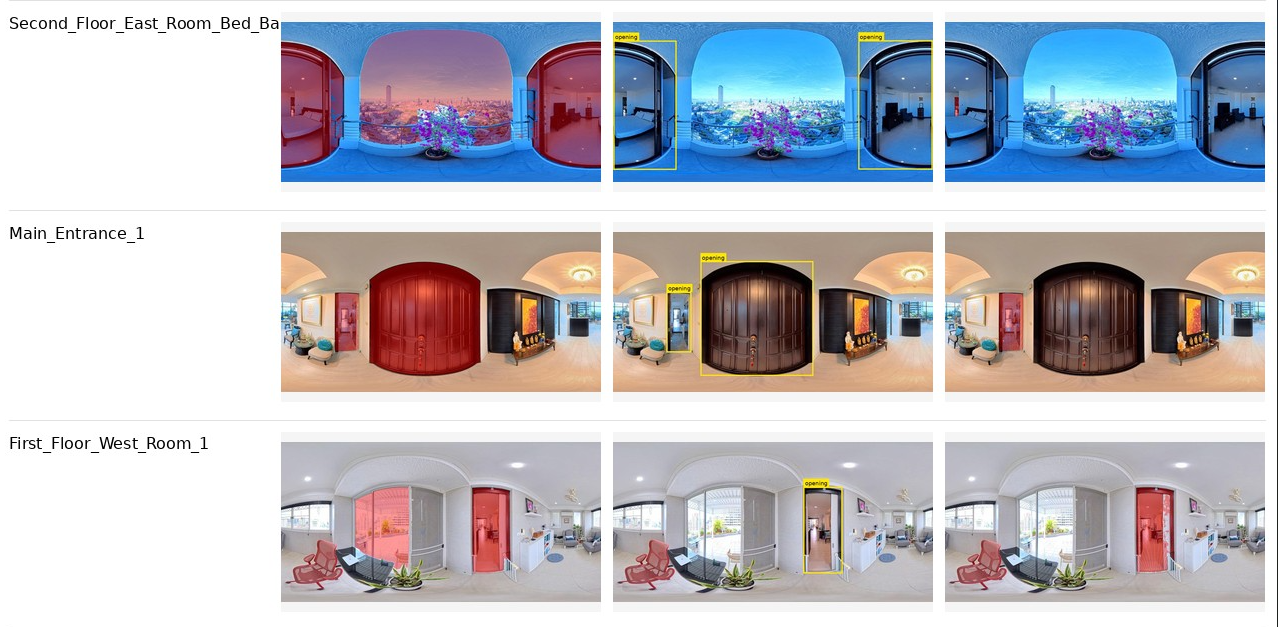
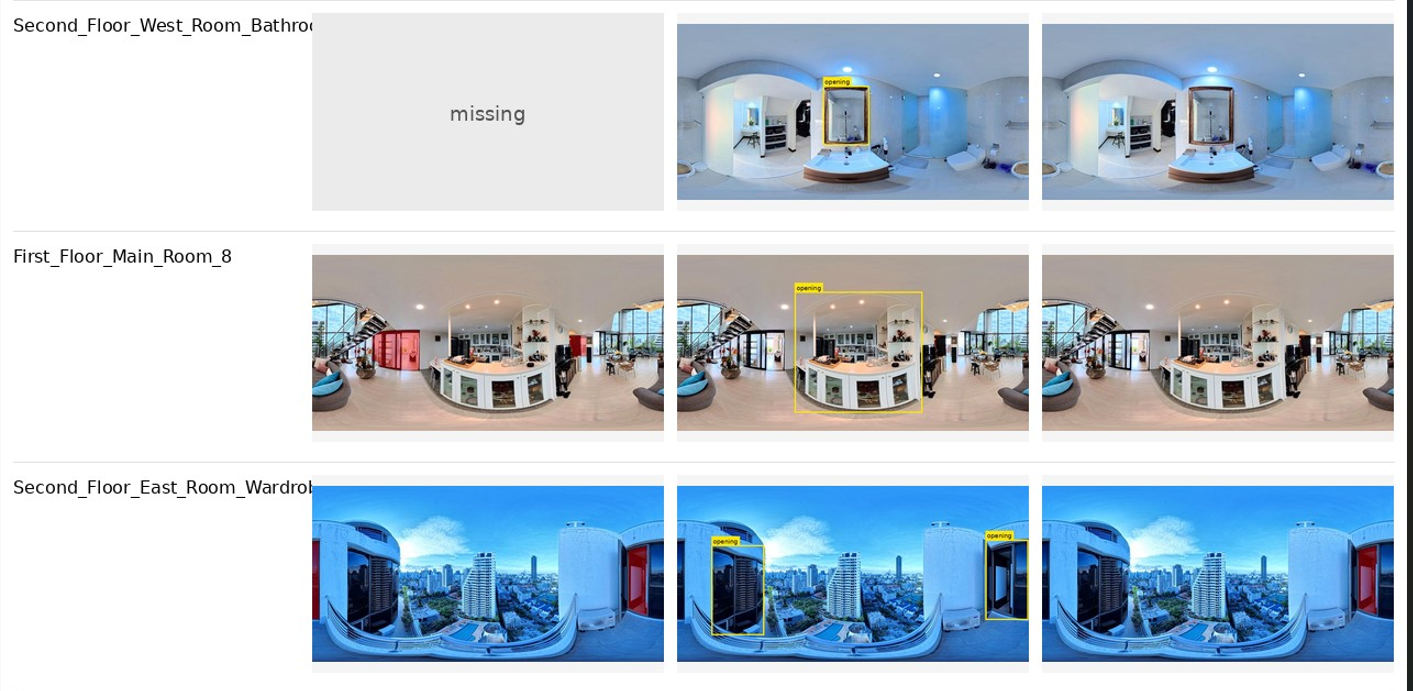
For images to pass the visual match check they must still have a high similarity. While this struggle is mostly solved for doorways, edge cases still persist. This week I reviewed this process and tested new workflows in order to raise the doorway identification accuracy from 90% and narrow further toward 100%. In order to perform this I reviewed other identifiers, improved segmentation prompts, and tweaked the confidence threshold.
For doorway masking Meta’s Segment Anything Model (SAM) is a great general purpose tool. It can find most objects in rooms with natural language provided. The use cases of this project challenge the edge of SAM’s knowledge and purpose as we conceptually request the segment anything model to segment nothing. The sky, glass, and doorways all appear as empty space visually. It is incredible that it works as well as it does. I was curious if there were other models that may have a more aligned conceptual focus, or specialty for architectural visualizations like doorways. I came across Florence-2 and DQ-HorizonNet.
Florence 2 was a very compelling alternative. I tried it on huggingface and proceeded to implement it in the project for a further test. The segmentation tool often failed to properly mask out doorways, but the general identification tool succeeded the majority of times in my early tests. This drew a rectangle around the discovered doorway, which would be less accurate than a segmented mask, but I was willing to test how a rectangular mask might integrate if it were drastically more accurate than SAM. I ran both methods, and a combination of the two, through my largest dataset of 123 photos. For each photo I output the SAM result, Florence-2 result, and a combined result, where Florence-2 identified doorways, cropped the equirect with a buffer around that doorway, and passed the cropped image to SAM for segmentation.
What I found surprised me. While Florence 2 has proceeded to identify doorways incredibly well, it hallucinated far more than SAM, and still failed to find some when SAM otherwise would. I had hoped that the combination check would promote the best of both models, Florence 2 narrowing the visual on the doorway, and SAM doing better to spot it with the narrowed focus, while also ignoring the false positives. This was not the case. Very often SAM would not see the more challenging doorways identified by Florence-2. My original testing was equirect only, so I decided to provide overlapping crops instead for more focused testing. This only further encouraged Florence’s hallucinations often finding strange things like TVs or light fixtures to be openings. While worth a shot, Florence’s integration does not seem like it will benefit our final result at this time.
I also came across DQ-HorizonNet. This appears to be a focused version of HorizonNet trained on doorway images. The results from the paper seem incredible. However, to test this myself would currently require creating my own custom model, with my own annotated dataset of hundreds or thousands of images. Someday this might be feasible. Currently it would pivot the current project from generating a sparse 360 3D reconstruction tool into another ambitious project of creating a highly accurate doorway segmentation model. To remain focused, this tool must not be considered until perhaps a later date.
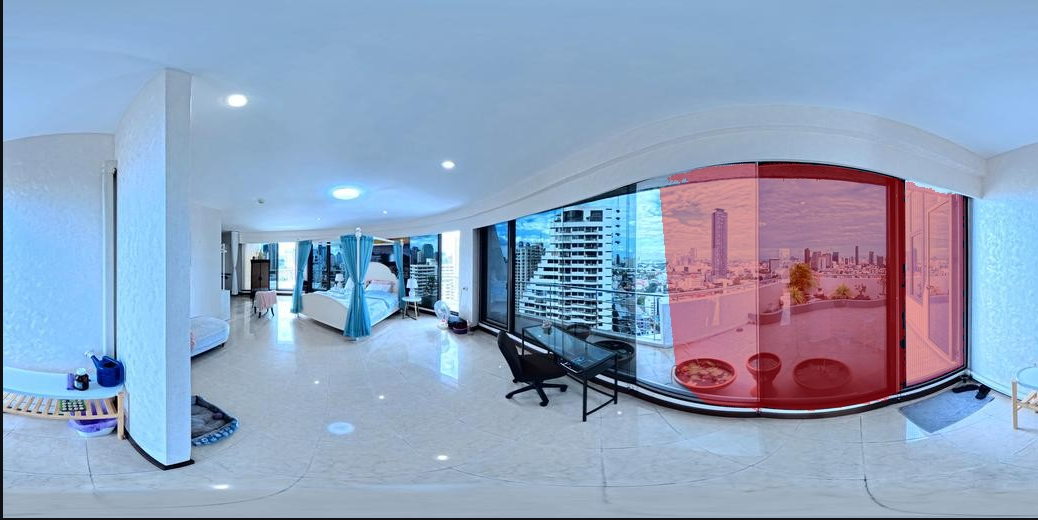
With no better tools appearing available I decided to look again at SAM’s configuration to try and identify some way to squeeze out better performance. I tried a variety of new prompts and luckily found some additional phrases that helped better identify the stranger doorways like frosted glass shower walls and stone thresholds without a top or frame. This came alongside reducing the confidence threshold, which promoted more doorways alongside some hallucinations. With an extensive check most hallucinations appeared minor and unlikely to affect the rest of the results. Some extend the doorways in glass heavy rooms to the surrounding windows which may increase the number of doorway promotions in matches, and thus increase the time spent in RoMa dense matching, but this appears to be the smallest price to pay at this time for accurate matching.
Reviewing the masking process gave me a good opportunity to look outside and find what possibilities are available, and may prove useful in the future. Finding no replacement, I had the opportunity to look inside, assess what I am currently doing, and find better ways to more accurately tune my outputs.
Doorway Side Check
For accurate through-doorway positions it’s important to identify what side of the doorway each image is on. Two cameras may exist side by side on the same balcony door and have some matches on the balcony outside. These cameras are not “through door”, and it’s important not to treat them that way so that alignment is correct. I added a new step to determine where cameras exist in relation to the door.
This check is done by looking at the matches in either photo and where they fall. If both photos see the same keypoint in a doorway, it is likely that they are on the same side of that doorway. If one photo sees the keypoint through a doorway, and the other does not, it’s likely that the other has the keypoint close by, and the former sees it through a doorway. This is the concept of how the check is performed. Knowing the side of the doorway we are on allows us to predict which alignment algorithm should be used.
Test New Depth Estimator
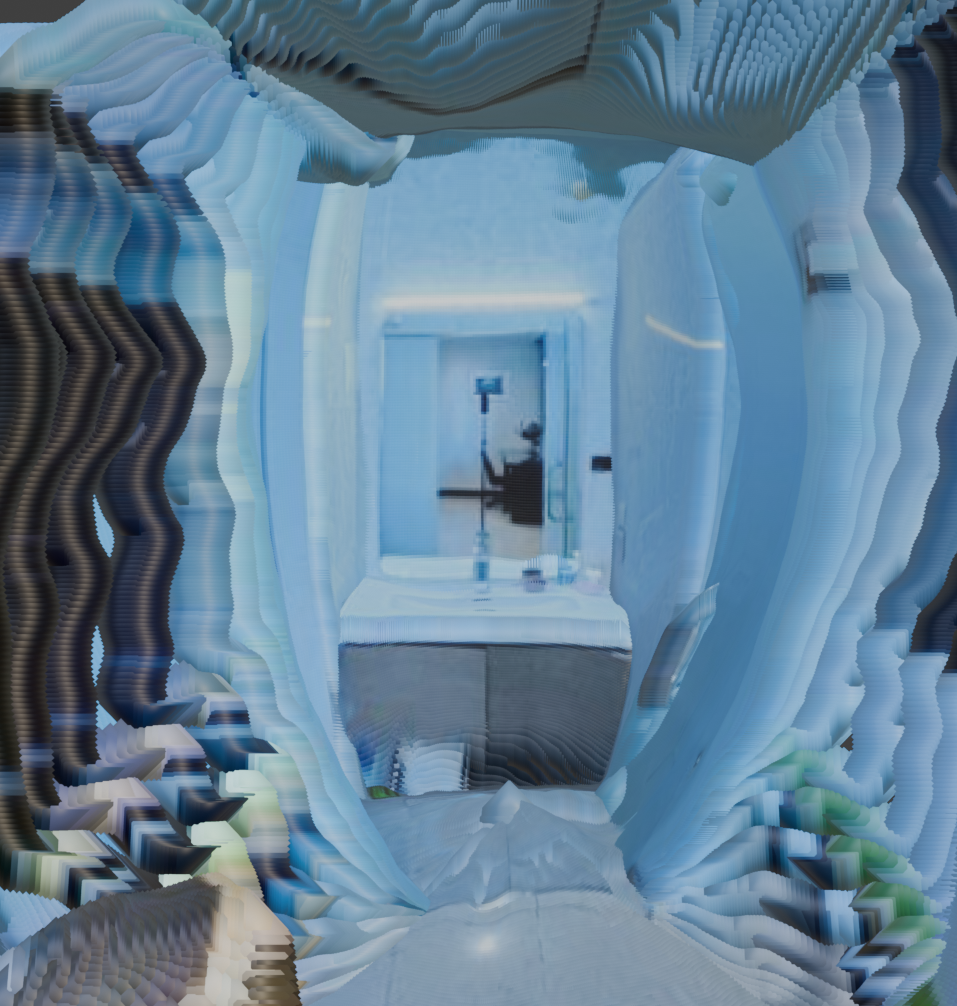
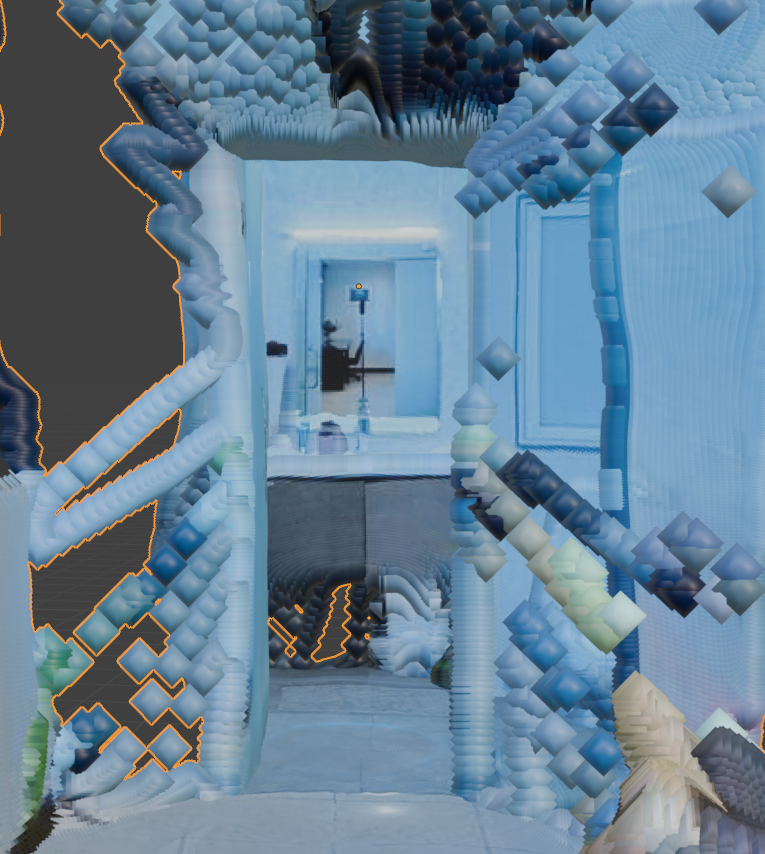
When re-assessing the current pipeline for improving pose identification I noticed one common strain, the doorways. Depth estimation through doorways is often poor. The depth on the other side will often be warped or the doorway itself will be completely flat. This causes problems later when positioning rooms on opposing sides of a door. When the matching features have incorrect depth, the original translation pipeline fails to accurately determine position. Currently a second translation step has to be maintained for doorway prominent matches. I decided to search again in the event some recent invention may have solved this, or perhaps I missed something in the past. What I found was UniDAC, an interesting tool for depth estimation.
UniDAC seemed to offer a very similar outcome to Depth Anything Panorama (DAP) which was previously tested. This aims to provide metric depth. I decided to give it a shot as the brief gif on the github page, along with the research paper, led me to believe there might be some heightened through-doorway accuracy.
I attempted to run this alongside my current depth estimation to check accuracy. Upon trial it appeared that UniDAC suffered from the same bowing and rounding issues that were found in DAP. As accurate as the meters might be, the structure itself is necessary for the final visualization. I considered possible ways that it may still provide service through doorways. With no concrete concepts, I decided to put this on the shelf for now and retain the current depth-estimation process.
Bonus: Frontend Updates
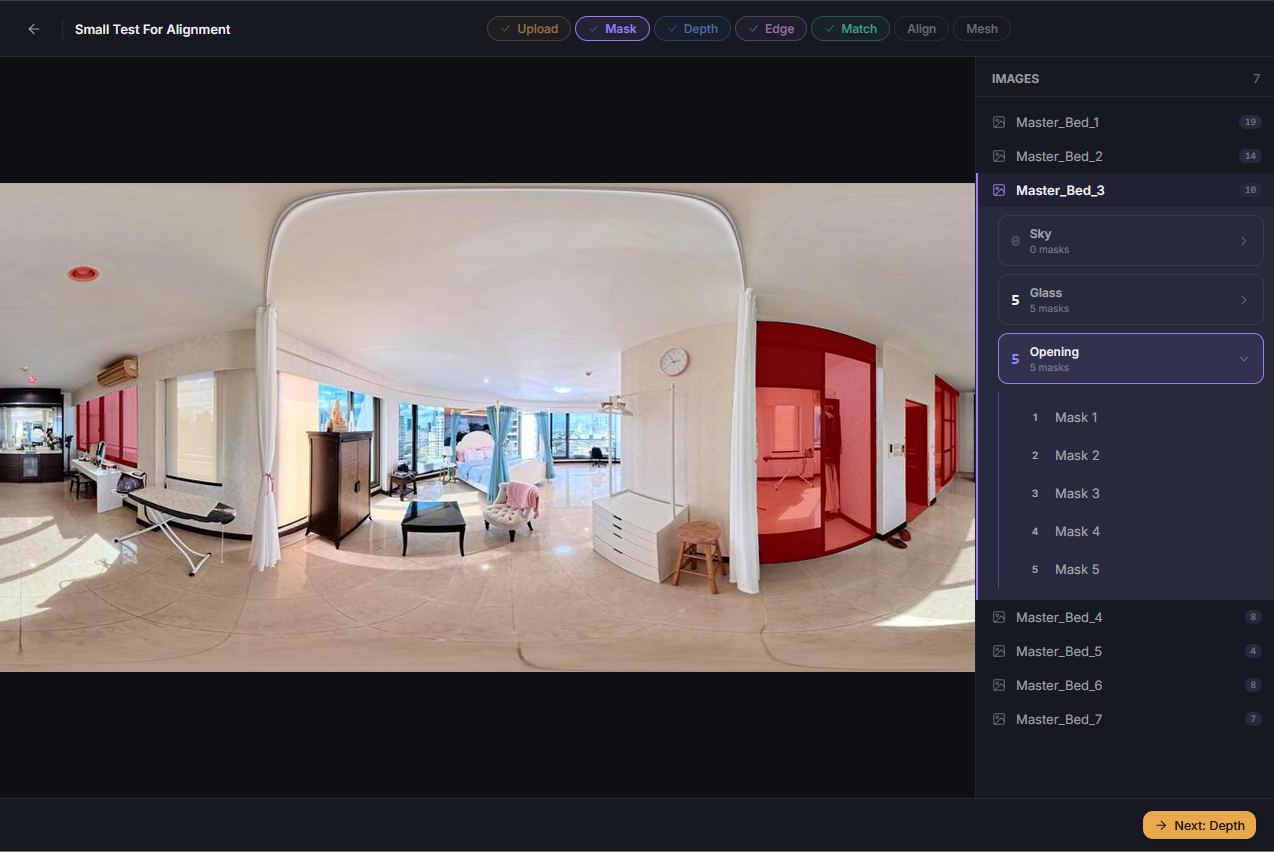
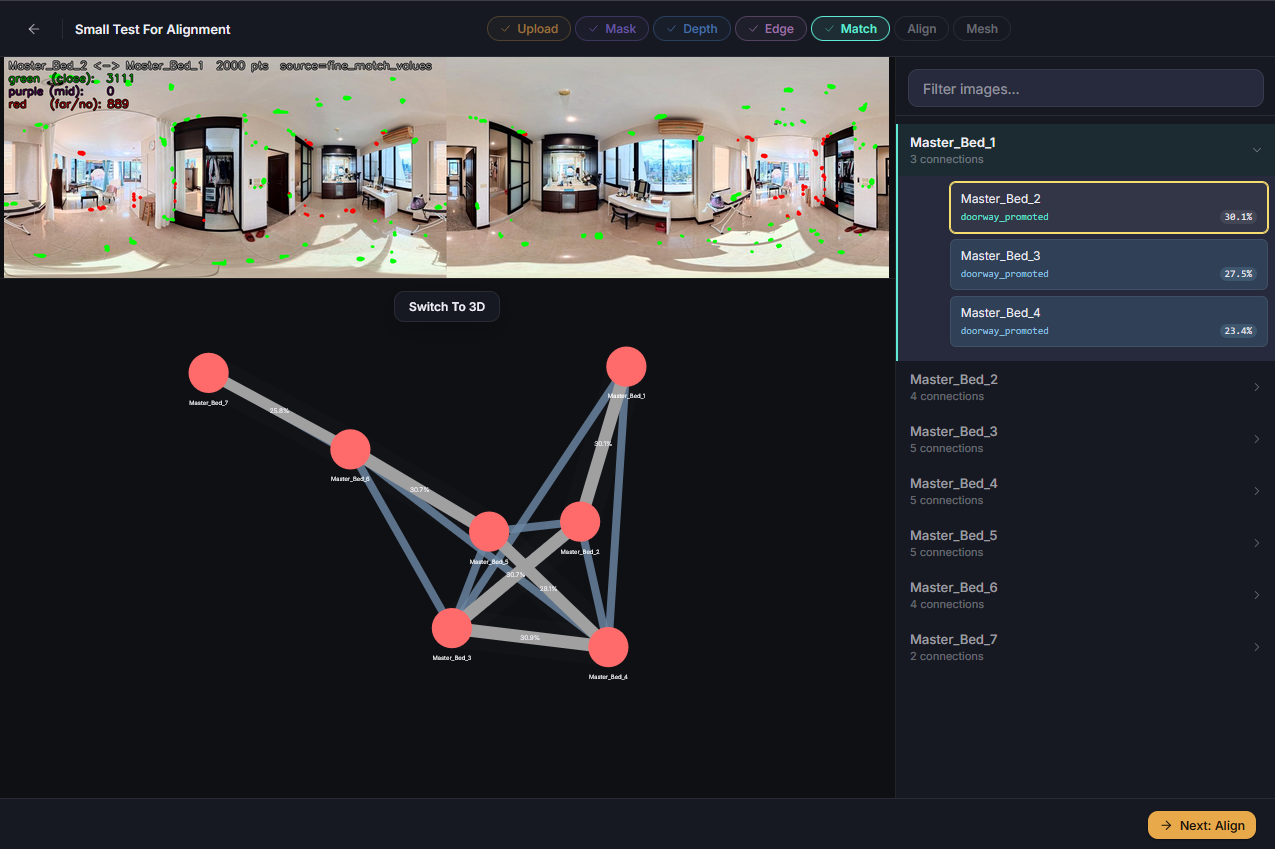

The conceptual change from match and align to positioning involved migrating features into a unified repository and deprecating a former one. This left outdated API calls and JSON structure expectations in the frontend. I updated these procedures. In addition I improved the UI’s layout for better debugging and to make better use of the current data available.
Up until now I had worked with two topologies, a maximum spanning tree and a looped tree. This required managing two JSON files for each of the now three stages of positioning. I determined a better way of managing this through one topology with a tag if the item exists on the maximum spanning tree. This reduced the number of files needed to review, and also simplified the UI. I added a feature to see both trees at once, with strong lines for the MST, and softer lines from the looped tree for their reduced effect on positioning.
I also altered the file view panel. Now here, and on the masks screen, items open up an accordion menu. From this menu individual connections or masks can be viewed. I felt that this approach gives more meaningful data in a more concise form. And when a connection is selected the top view now displays the match results. A new toggle also appears, where the topology view can be switched to a 3D view of the matches. Here the point clouds are trimmed to their accurate radius, and they have sharp edges removed. This is the content used for spatial awareness checks.
I feel that these improvements have made the UI more robust while also more elegant. The added features should make visualizing the process more convenient and useful.
Summary
After identifying the consistent inconsistencies of non-determinism and how they plagued my results, and understanding of the process, I set out to make the workflow more consistent. I was able to do this by reviewing the strengths of the tools in use, and recontextualizing how they are used. No longer am I matching photos, then aligning them. Now I determine likeness, and refine with alignment and spatial consistency. This produces the best pose matches, and overall position of the cameras. I looked outward for replacement tools that may be more focused or state of the art. While novel features were discovered, I had not come across an improvement that better suits the current goal. I returned to tuning the tools I had by improving masks, and updated the frontend to interact and display with the large changes that occurred through this period.