
Accomplishments
- Importing Mobile Data
- Automated Tripod Removal
- Automated Furniture Removal
Bonus
- Benefits of the Mobile Tool
- Adams Family Vintage Store Update
Capturing photos at eye level from all angles comes with many visual challenges. How do we hide the photographer? How do we hide the camera’s stand? Through recent developments we’ve solved how to hide the photographer with layered captures. And way back in week 1 we identified how to hide the camera stand. This week expands and rethinks those workflows to integrate more holistically with the end-to-end process. Using similar processes to camera stand removal, we can expand that concept to removing furniture from the whole room. Together these changes make the functionality of the system more robust and holistic.
Importing Mobile Data
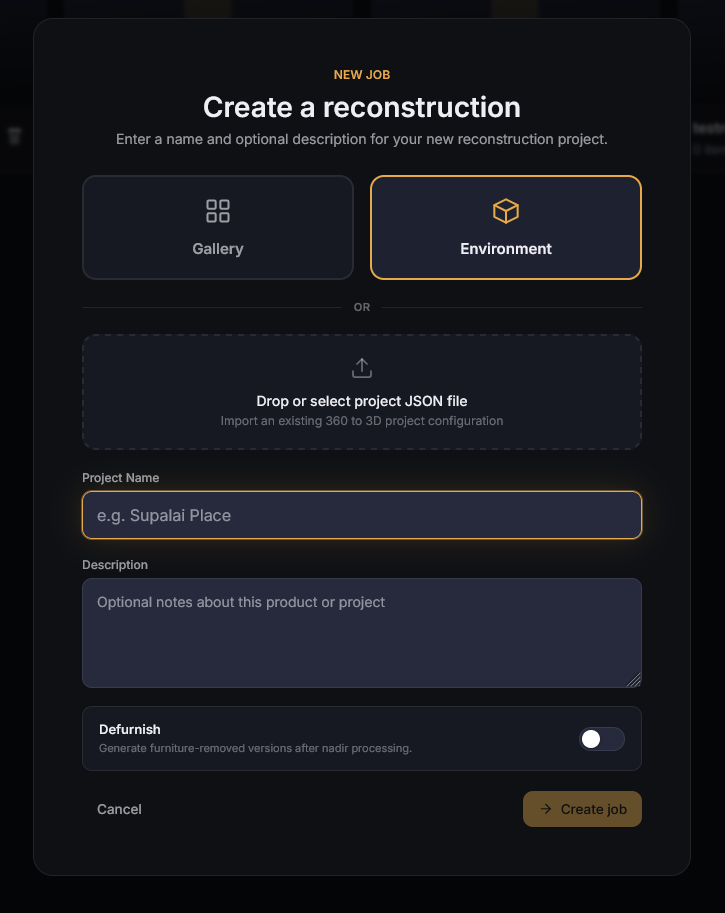
The mobile app allows us to capture images, remove people, and track the sequence of images collected. The hardware in the phone currently affords us an incredible preview of the work. Transferring this to a computer allows us to perform more operations on the photos, use the sequence, and reconstruct the 3D scene much faster.
A new feature to export the data was added to the mobile app. This exports information like the order of images taken, which images overlap, how they overlap, and the masks drawn to cut out the parts of images with people in them. Importing this information to the computer’s application offers many benefits. It allows the computer to cut and combine the full resolution images, rather than compressed previews. It also minimizes the need to manually combine and link sections of point clouds, saving time and focus.
Automated Tripod Removal
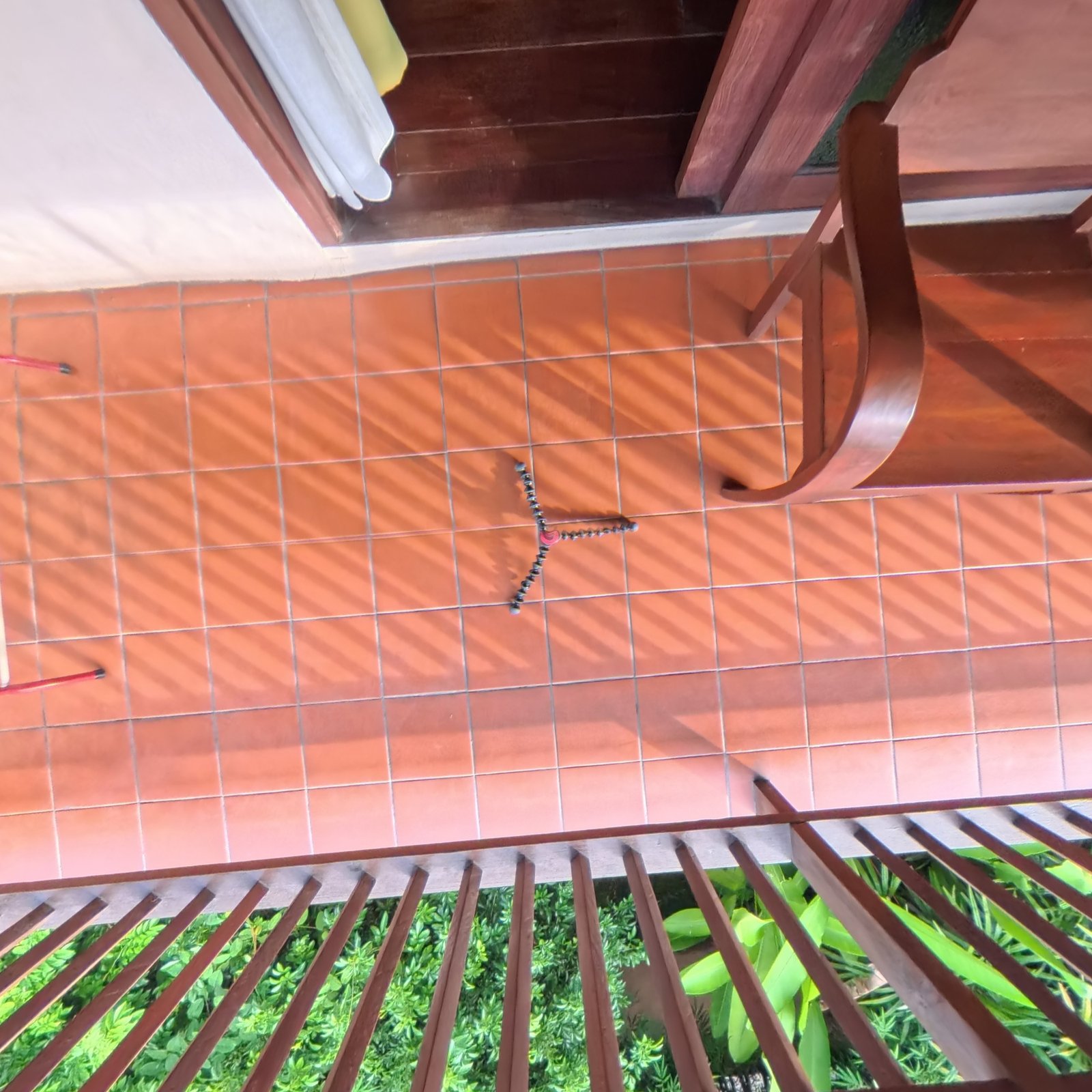
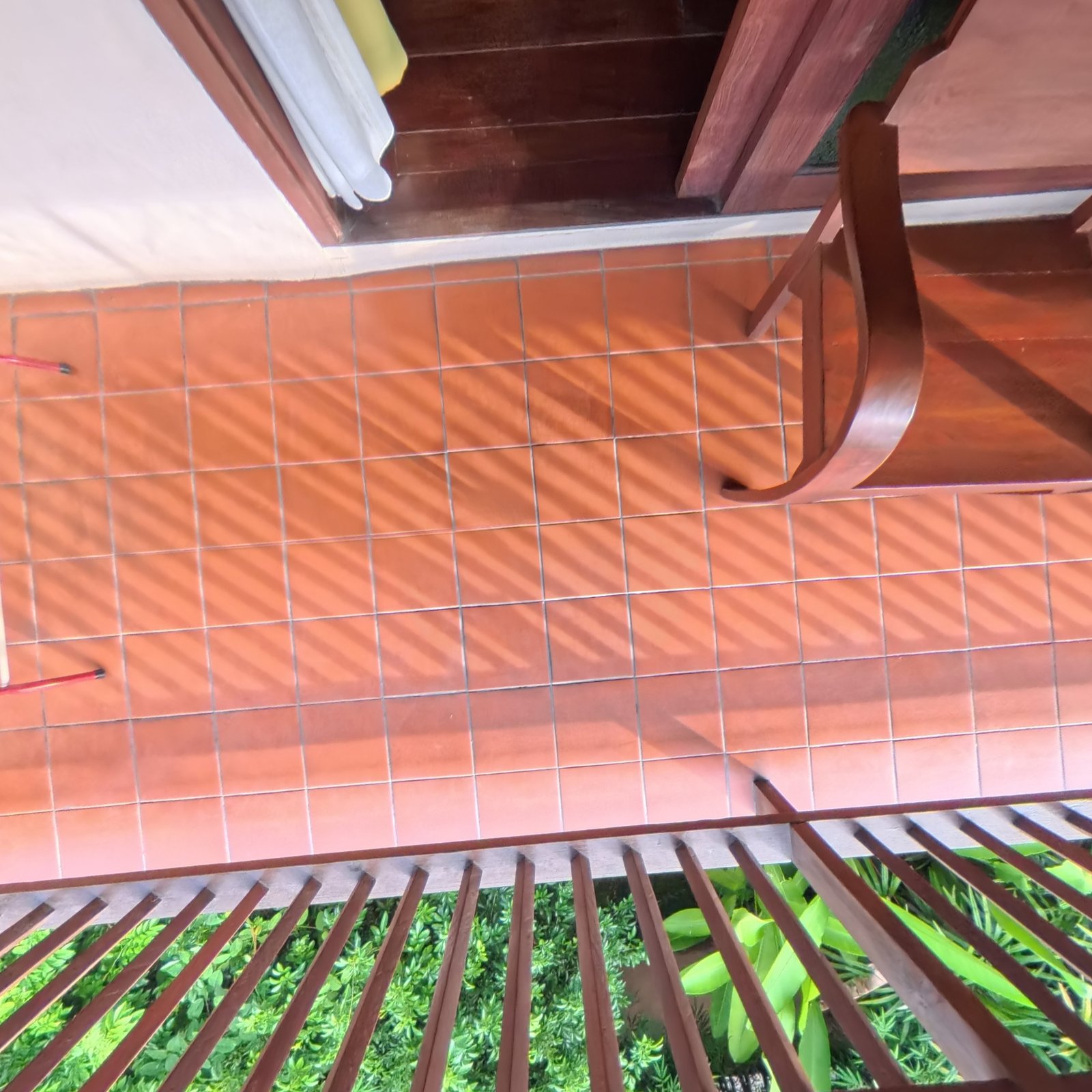
In the very first week of these updates I shared the first workflow for automating tripod removal in 360 photos. I learned a lot from that solution, such as the tools and steps required to efficiently and effectively remove tripod feet from the nadir (bottom) of a 360 photograph. This week I took that understanding and identified a new path, using updated tools and integrating directly with the overall application.
This new process works faster, with less manual input, and can be triggered automatically upon image upload. The fewer steps required to go from captured photos to shared 3D experience the better. This improvement satisfies that goal, deprecating the previous self-confined process in favor of an integrated tool that can be automatically triggered.
Automated Furniture Removal
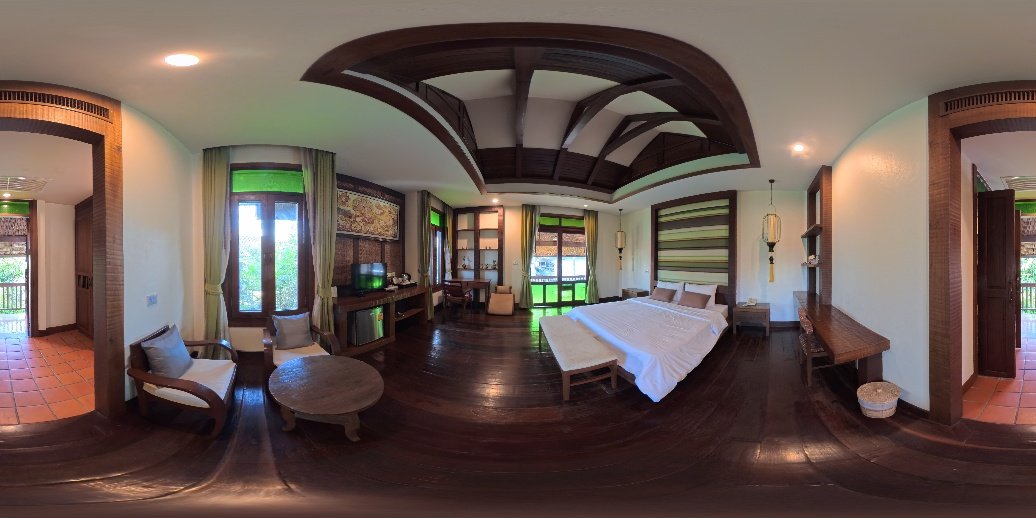
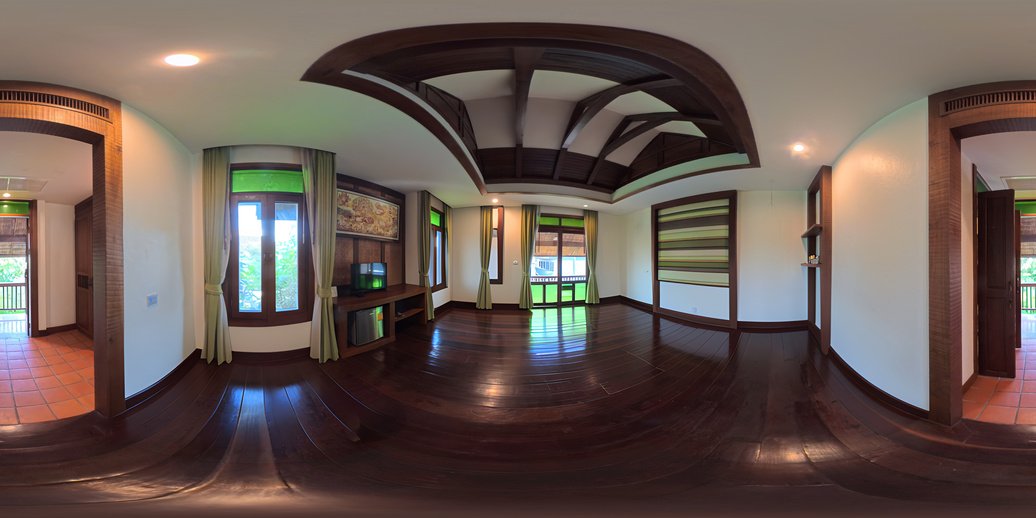
Back in Week 23 I created a proof of concept to see that furniture removal could be effectively performed locally, in a reasonable time, and be used in 3D positioning and reconstruction. This week I took those concepts and began integrating them into the service. Now, after tripods are removed from the floor, the high res image can be ran through a process which selectively removes furniture and attempts to inpaint or imagine what is most likely behind it. This often leads to furniture free rooms that can later be used for reconstruction.
Bonus: Benefits of the Mobile Tool
During the process of bridging the mobile information and the computer tool, I reflected upon what benefit this sibling application has. At first glance it could appear superficial. A lot of time has been spent, and work done, to accomplish estimating depth and positioning 360 photos on the mobile phone. This still takes around 30s of processing time, and the visual consists of voxel cubes which differ greatly from the final result. The positioning and point clouds also differ, because this inference is only used for immediate visualization. What benefit do we get from all of this effort, maintenance, and increased processing?
The mobile application satisfies 3 major concerns: Capturing the correct visual data, ensuring valid pose-to-pose connections, and reducing manual effort to connect photos.
Let’s imagine some scenarios without the mobile app. For one, let’s imagine an open field with hiding spots far from the camera’s position and wireless signal. The photographer has two options. One, set a timer, run to a hiding spot, and then return to the camera. This takes extra time depending on how far the hiding spot(s) are, and how frequent they must be returned to. And this entrusts that the shot will not change over that time. If outdoors, perhaps a deer is nearby, or the sun is free from cloud cover. The scene may change during the attempt to hide. Option two would be to take two photos, and move their body between each. Then a postprocessing workflow could be performed to cut out the person from each image and link them together. Perhaps lighting or other features changed during this process that the photographer was unaware of, and postprocessing requires extra manual time.
The mobile app relieves these issues by allowing the photographer to capture multiple photos immediately, and see direct feedback as to what the combined capture will look like. This saves time and ensures that it will reflect the final result.
Let’s imagine another scenario where you’re capturing a home. Doorways are incredibly tricky for positioning 360 images, as the amount of overlapping data is often very small. One great current example is the 3rd floor center balcony of my Supalai Place environment. The photos on either side of the doorway were taken approximately 2 meters apart. This was consistent with other photos taken throughout the house. However, in this case the pose-to-pose alignment was very far off. The outdoor image was sharply angled, and more distant than the ground truth. This was simple to fix with the manual adjustment too; However, it was just that, manual. This consumes my time and focus. Some instances may be even too much for a manual adjustment to fix, and in those cases the photographer may have to return to the site, where features may have changed, leading to more time, effort, and money.
With the mobile app, photographers can monitor their camera-to-camera poses on-site. When a pose is too far away or crooked, this visual can inform the photographer that an intermediate image may be necessary. The sooner the quality can be communicated to the photographer, the sooner they can attempt to improve it.
And for a final scenario, let’s imagine you have a property of 100s of photographs. Currently, camera positioning works well in small localized groups, however larger groups can lead to slow downs or degradation of performance. Therefore the best results may require grouping cameras into selections of 5 to 15 to pose them, and then connecting them individually into a greater structure. This greatly increases the manual effort and focus required of the creator to generate an environment.
With image sequencing the software already knows how each image connects. This order of connections makes it so the user doesn’t have to manually group and link images. Instead, it can immediately process them all into a connected series of 3D representations.
The mobile app may seem superficial, because in a way it is. It doesn’t solve anything new, but it replaces many solutions that require considerable time and focus. This reduction in time and focus required will give creators more time to create or pursue other wants and needs, rather than manually solving problems that could have been solved by a computer, or avoided upstream with the right information.
Bonus: Adam’s Family Vintage Store
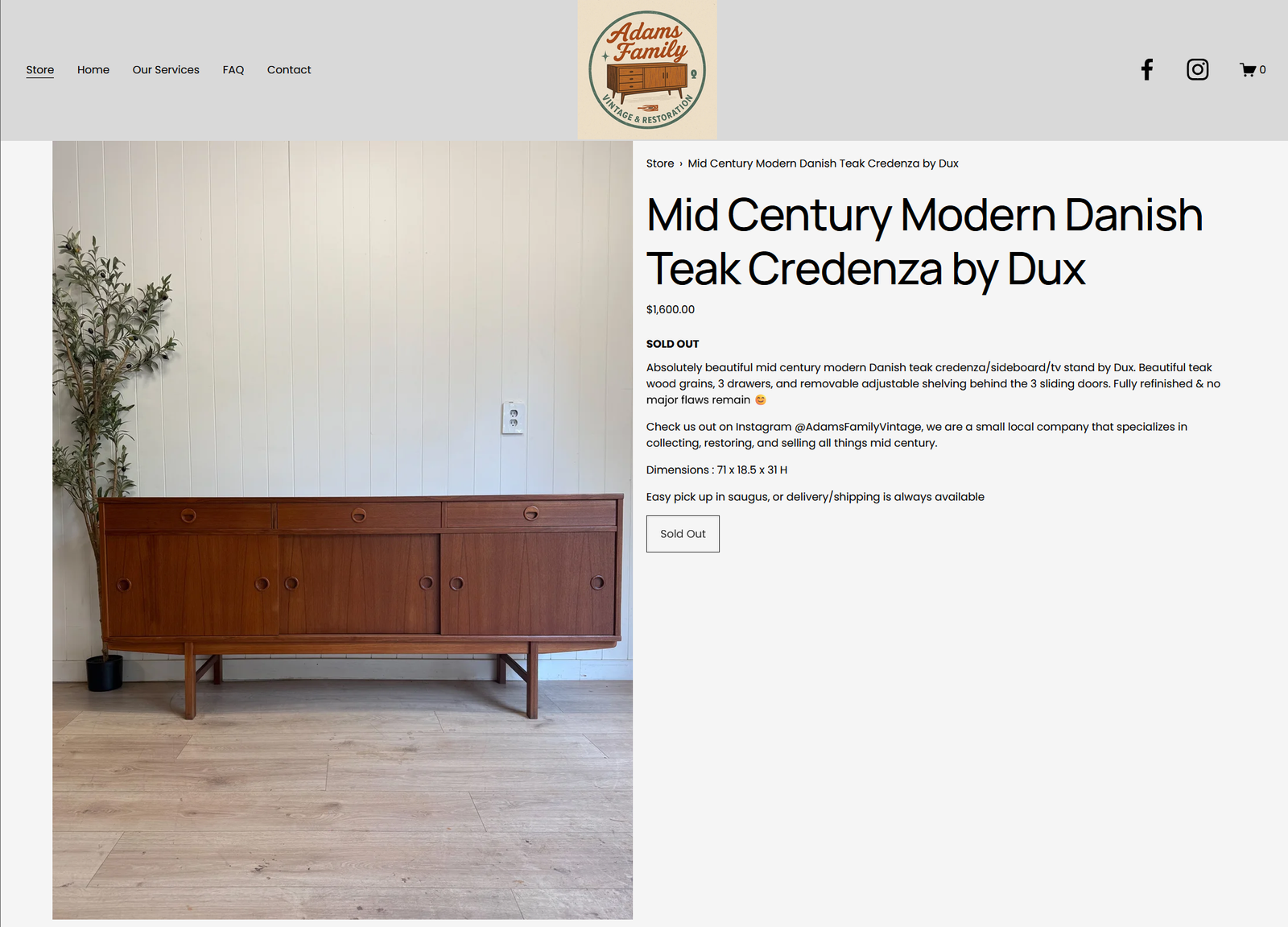
After 1 year since our last update, the family behind Adam’s Family Vintage was ready to take their next step. With an intent to diversify their sales beyond word of mouth and Facebook, they reached out about the opportunity of setting up a retail store within their website. Eager to see them succeed, I was quick to begin investigating our options.
Built on the Squarespace platform, templates were available to begin with. These kickstart the process of defining the visuals. What quickly became more difficult was defining the user’s experience (UX), for both the seller and the purchaser.
Adam’s Family Vintage’s business may not fit a given Squarespace template. They deliver to the New England region, and offer pickup, and mostly coordinate this through direct conversations. Squarespace offers forms during checkout, which is great. However, they require a shipping option to be picked, or they display a tag along the lines of “Delivery Unavailable” with more text for the reader. This can mislead someone and encumber the purchasing process. So I began investigating the alternative shipping options.
A pickup option was very simple to setup. Delivery is where things got more challenging. The “Local Delivery” option seemed perfect; However, the current version seems to expect local to be incredibly local. A field is required to input individually every zip code you intend to deliver to. This may work great for a pizza place, or perhaps someone offering to shovel out snowy driveways. This doesn’t work so well for furniture delivery where the seller is willing to drive hours away to deliver a piece.
After finding no way around the zip code requirement, I considered what sounded like a quick and clever workaround, to programmatically fill the field with all US zip codes. Quickly I felt the consequences of this action, as over 40,000 zip codes pasted into a text field was quite a lot for the web browser to handle and caused a freeze. This also may be a lot for their system to handle, depending on how Squarespace is validating and comparing zip codes behind the scenes.
After some time a better solution was found, using the flat rate delivery option deliveries could be reduced to specific states, and required no knowledge of all the zip codes you might consider delivering to someday. With this provided I was able to move on and define the upload and fulfillment processes and share them with the member of Adam’s Family Vintage who will operate them.
Once complete, we tested the end-to-end process with the first official sale on the Adam’s Family Vintage website. A high five, for free, sold to me. I will give this purchase one star for each finger, 5 stars total. The Adam’s family is now empowered to share their great finds and refinished pieces on their website, and offer them with more visibility.
Summary:
Media is a medium. It is what sits between us, in our act of conversing. Sound is media, through our voice, vinyls, and instruments. Movies are media, showcasing sights and sounds to share a story, sitting between the author and the viewer. 360 and 3D environments are media, and sit between the creator and the viewer. How wide that medium sitting between the author and the viewer is has shrunk greatly with this week’s image enhancements.
The mobile application’s integration let’s the author sooner see qualities of the experience that the viewer will connect with, allowing the author to change them. The author’s desire to capture a scene is not often envisioned with the capture equipment in mind, so automating the removal of the camera stand brings their vision closer to the viewers view. And the process has been expanded to be more robust, with imagined visions being provided through the furniture removal process.
Each new update helps improve the medium through which creators and viewers connect, and reduce the distance between their connections.