Accomplishments
- New Customization Tool
- Mobile Capture Tool Updates
- Minor UX Fixes
Seeing is believing. When designing an experience, you want immediate feedback as you brainstorm and create your design. This feedback extends the width of the process, from capturing images to tailoring menus and color schemes to fit the needs of the project.
New Customization Tool:
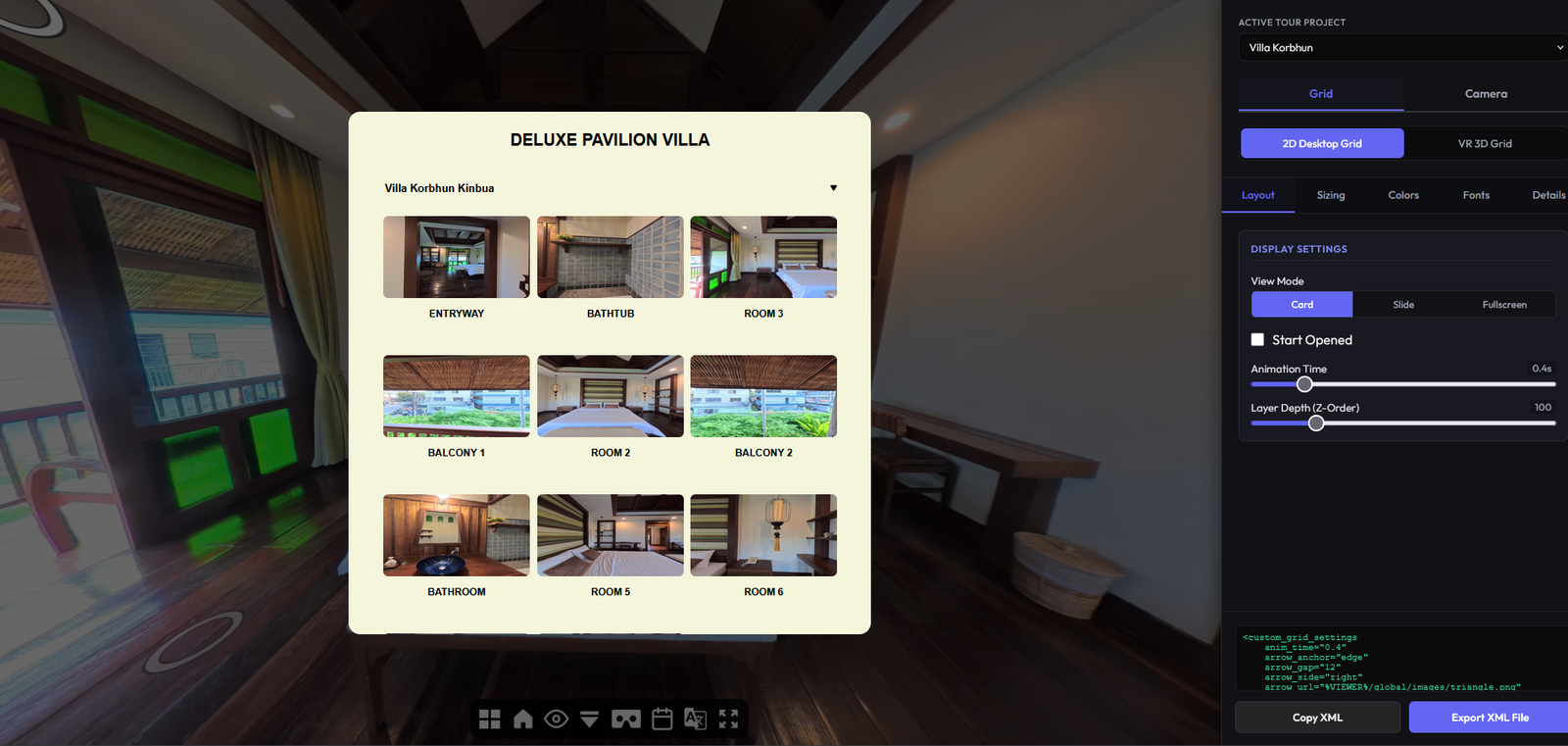
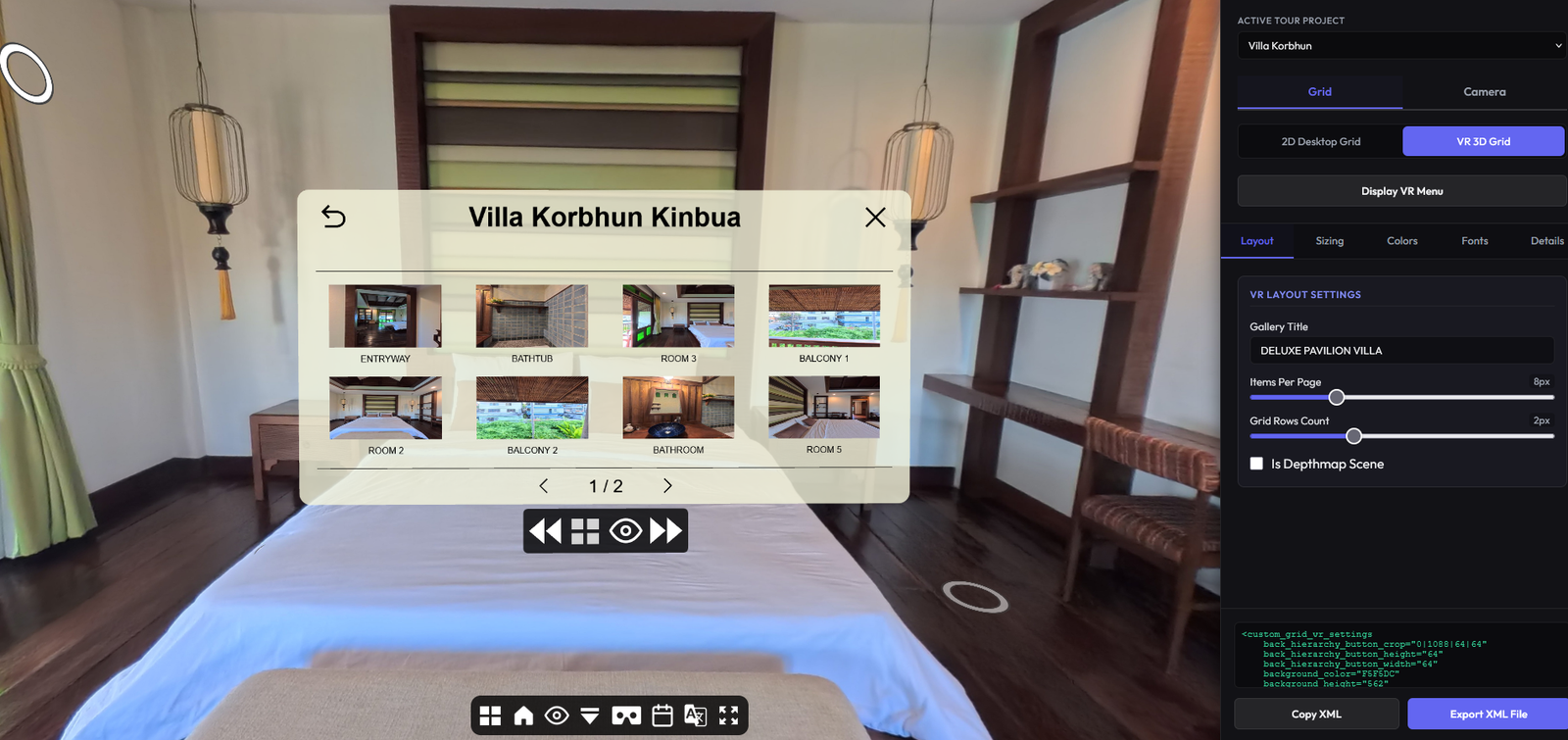
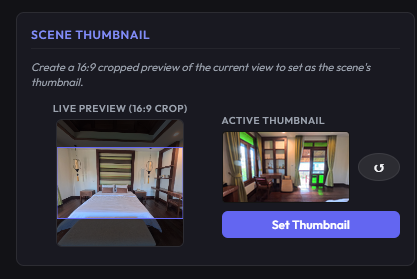
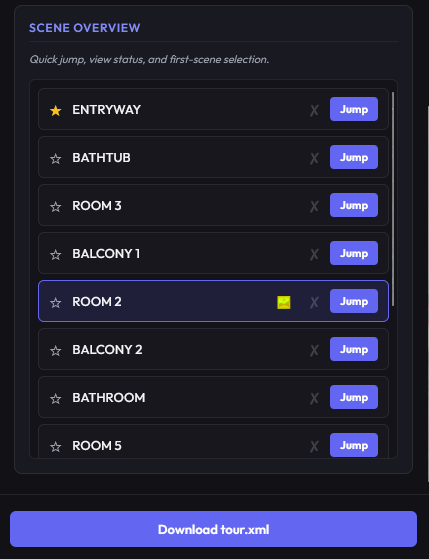
The standard way for adjusting tours with certain tools involves manually describing changes in a text file, saving it, and refreshing a page to see how it looks. Experienced designers can quickly identify and update the files for the changes they’d like. For those less familiar, or looking to experiment, this can be a cumbersome and slow process.
With this new customization tool, the skill barrier for adjusting experiences has been drastically decreased, and the speed to do so has been greatly improved. With this tool, changes can be made with sliders and drop downs which live update the custom grid menu’s both in 2D and VR. I have also added a feature to select and update thumbnails for each photo, so that they can be set to more visually desirable locations for the grid. This all happens live, with visual feedback for the designer to consider.
And I have integrated last week’s camera position tools into this interface, and included a list of images to inform the designer which have been updated, and which have not yet been changed.
Reducing the skill ceiling, improving efficiency, and simplifying the tasks of changing thumbnails and camera positions, all without manually editing fields in a file, greatly improves the process for designing a tour, shortens the time, and adds more value to the individual parts.
Mobile Capture Tool Updates:
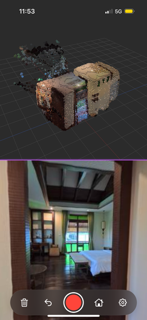
Mobile Capture empowers designers to see the structure of the final result while on-site and during capture. This ensures that things are not missed, and gives the opportunity to reshoot or gather more information for areas that appear to need more detail. This can reduce re-shoots and manual processing later. This week, I implemented multiple new features to support this process.
The first major feature is to connect the 360 camera to the application. For this case, I use an insta360 x5. Insta 360 offers a standard development kit (SDK) for interfacing with their cameras. Once approved, I was able to implement this within my application and begin viewing a live feed from the camera. The capture button now sends a signal to the camera to capture a photo, and it sends the photo back to the phone for further processing. The SDK and connection also afford the opportunity to adjust the camera’s settings remotely. Things like exposure, HDR, resolution, and more can be changed from the mobile phone without having to disconnect or manually adjust within the camera.
With camera connectivity I could now build out sequential photography and point cloud representations. Each captured photo is run through the process against the previous “anchor” photo. This generates the new point cloud, and it’s pose relative to the last camera. Each new photo is then displayed as a new node, creating an interconnected tree to represent the space. Selecting an anchor node can let you return to previous areas for new branches, or refining existing ones.
A big problem I face is capturing tours in open areas. Large rooms or outdoor scenes where there is no place to hide, or, the best place to hide is outside of the mobile phone’s connectivity range. This can mean spending more time hiding and returning than actually capturing the photos. For this I added an edit workflow. Now, after a photo is taken, you can choose to draw over parts of the photo you want cut out. Then, you can take a second photo with the camera, and combine them. As long as the camera does not move, the two photos should blend well together. Letting you appear in both shots, and removing you from their final result.
Point clouds can be great visualization tools, but when zoomed they may appear too sparse to offer the detail needed to be seen. For this I have updated the 3D visualization on mobile to display a voxel grid. Voxels are just cubes, and these can be colored to display the scene, and update as it captures more data. These solid structures make it easier to see from close or far away, offering better visual feedback to the designer.
Minor UX Fixes:
A few small irregularities were identified and resolved through this week. One involving the VR menu. It would not maintain its position relative to the user’s head after a transition. Naturally, when going from one end of a house to another, we expect ourselves to feel like we have moved. However; subconsciously we see a menu as an extension of ourselves, like a watch or a tablet. When we teleport, we expect it to teleport with us. That makes it jarring when it stays in place, or changes slightly after every transition. This is now resolved, and it remains fixed to the viewer. This came alongside a minor fix, where in VR or 2D, sometimes selecting items from the menu would transition in 3D, causing a disorienting move through walls and fixtures, rather than a simple fade out and fade in.
The multi-floor feature came with substantial changes to how dioramas are loaded and experienced. One consequence of this was a momentary lack of texture for the diorama view when transitioning from the depthmapped scene. I added a new step that pre-loads the textures for the diorama, so that they are immediately ready when transitioning.
A minor issue was identified with the auto-sizing of the 2D menu. When entering and leaving full screen, the width of the 2D menu would change even if the browser size had not. Now the 2D menu remains consistent after exiting full screen.
Summary:
What you see is what you get. Giving the designer more tools to see their end result faster will enhance their ability to construct new experiences. Tailoring menus, designing thumbnails, and camera positions, all assist to offer more unique and cohesive experiences for the viewer to enjoy. More data early on via the mobile application allows for more accurate representations and fewer reshoots.