Accomplishments
- Diorama View Refresh Fix
- Copy Link Button
- Info Hotspot and Callout Research
- Multi-Lingual Support
Virtual tours are tools used by people around the globe to send and receive information about places and possibilities. Interested viewers near and far may speak a variety of languages. Since virtual tours often take place within a 3D space, they do not always offer simple screen translations built into the web browser.
Along with small features and improvements, a multi-lingual process has been developed. With it, viewers from near and far can better engage with virtual tours regardless of language familiarity.
Diorama View Refresh Fix
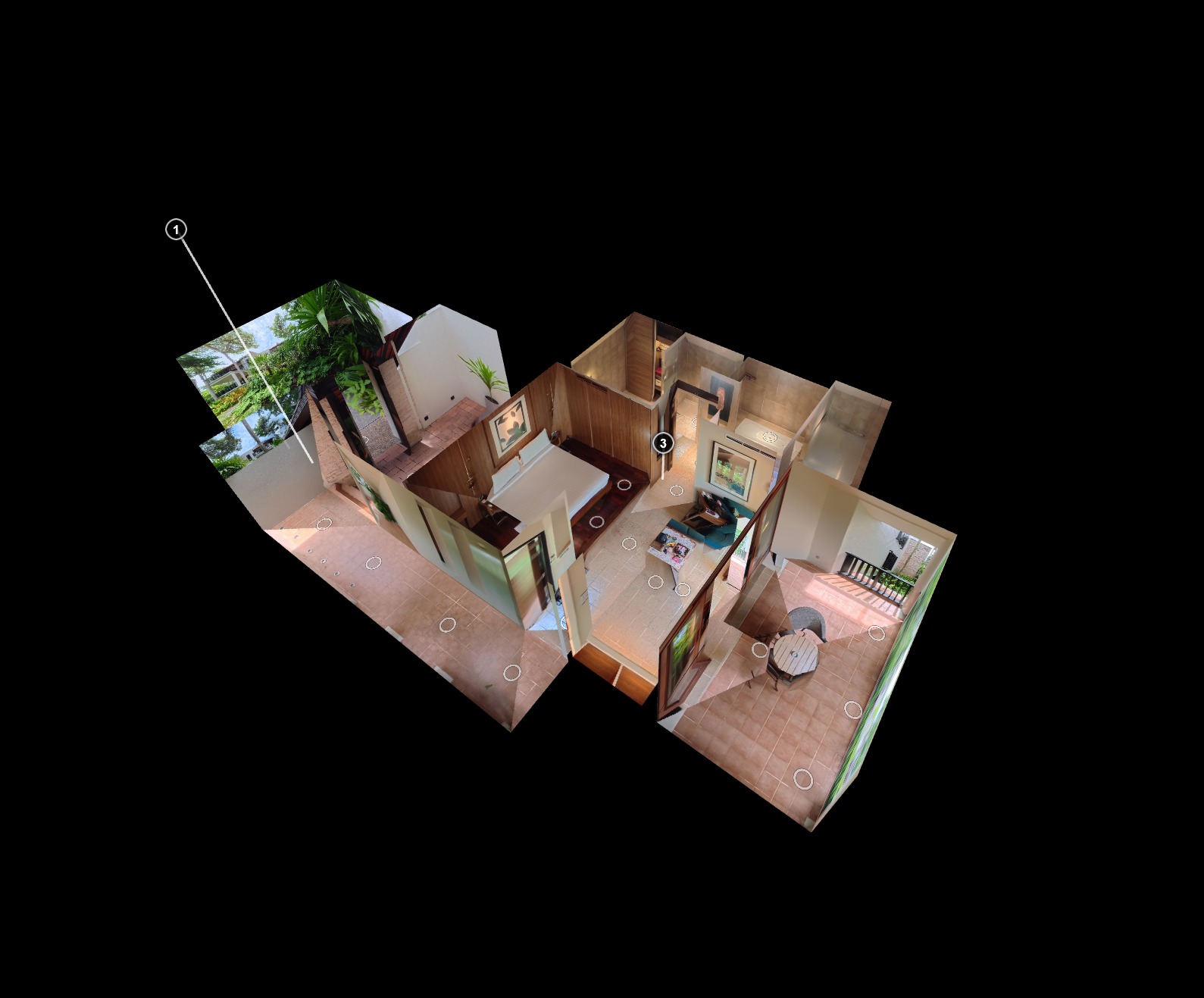
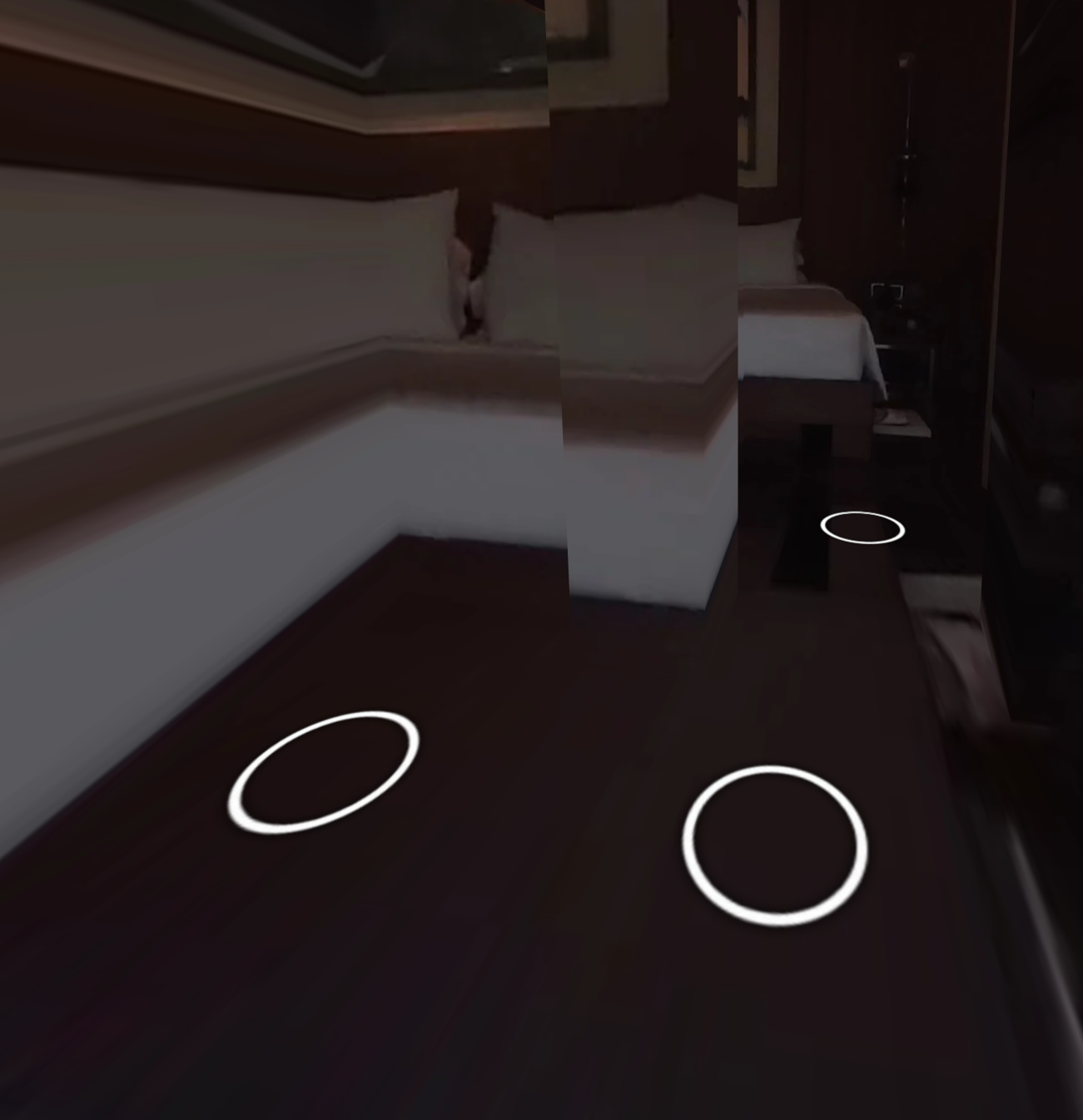
An opportunity to improve the user’s experience was discovered when refreshing the browser while in the diorama view. Upon refresh the panorama and the location wouldn’t match, and could appear incredibly distorted. This wouldn’t fix itself until a hotspot was selected. Why was this?
When a tour loads, a few steps are performed to determine how it should start. Deeplinking is reviewed. If it’s the first time a tour is opened, you will often start at the first scene. However, if the address used to go to the tour includes some parameters, like startscene or startlookat, it may use that information to locate a specific position and perspective within the tour.
When the diorama view is part of that deep link it would confuse the player since it was not a standard scene or hotspot. This led to no 360 photo being projected on the 3D model, causing the whole scene to appear black.
A change was made to determine the name of the scene, and if it matched the name of the diorama view scene it would instead reload the tour from the start. This would give the person who refreshed, or a viewer who received the link, a clean start to the tour.
Copy Link Button
Webpages, or iframes, visible within 360 tours are a great way to add extra context and functionality from anywhere on the web directly into a tour. Perhaps a user is researching which villa to stay at and would like to record a list of amenities. Perhaps a student is visiting a historical site in a tour for a paper and would like to use some information in their bibliography.
Getting the link directly is great for records, favoriting sites, and offering a standard view to the external data. To support this, I added a button which copies the link to the user’s clipboard and can be immediately pasted elsewhere.
Info Hotspot and Callout Research
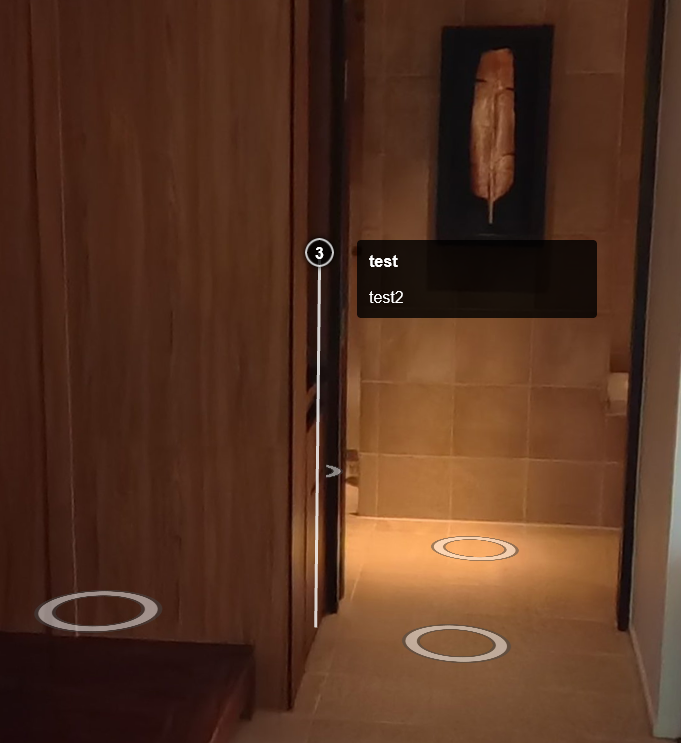
A picture of the pyramids tells you they are old, but how old? A tour of a clothing store tells you what they sell, but how do you purchase it? This is where information hotspots come in. These are clickable buttons within the tour that do not move your position. Instead they are used to open a window or iframe to display information.
Callouts offer a summary of information that appears before clicking the hotspot. This makes it less taxing on the viewer to know what the button may do before they choose to press it.
How might info hotspots be implemented? What is the best workflow to generate them? These were among my many questions going in to offering this feature. I spent the better part of a day building a rudimentary example and devising a workflow.
Info hotspots would be placed in Blender using PanoCamAdder, exported to an xml file, and from there updated with an image and features like opening a popup when clicked. This functionality was quick to produce. However, it is often difficult to perceive distance when viewing objects in unlit 3D space.
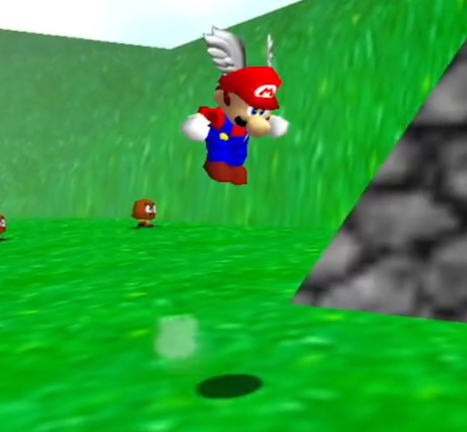
How can we convey an orb’s location if it’s floating in the air? This was the same challenge faced by many video game companies during the 90s as they entered the 3D era. The solution was to always have the character connected to the ground in some way.
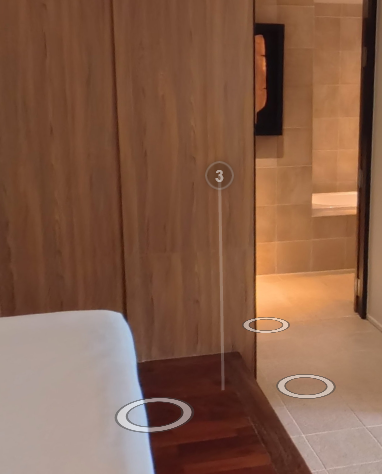
In Super Mario 64 this was done with a shadow. To connect info hotspots to the floor, the “orb and stalk” approach was explored. Like a museum stanchion or a park plaque, the information sits atop a thin beam connecting it to the space.
While drawing a simple line might seem sufficient, issues arise in multi-level environments. A hotspot on a second floor could visually pierce through the first floor’s ceiling. A raycast solution was considered but did not appear supported. A prototype instead defined the bottom position of the hotspot in Blender for use in the viewer.
Before refining this approach further, focus shifted to callouts. Callouts visually appear next to a hotspot in 3D space. They can either be drawn in 3D or on the 2D viewport. Drawing them in 3D causes inconsistent text size based on distance, limiting design control.
A 2D solution allows consistent sizing across desktop and mobile devices. While researching this approach, a similar tool was discovered in the krpano forums: the annotations plugin by kme. It featured orb-on-stalk hotspots with 2D callouts and customizable click behavior.
The plugin met the defined requirements and provided an in-editor workflow, reducing complexity compared to generating data from Blender. One potential limitation is that orbs remain partially visible even when behind walls.
With this tool identified, development on the custom solution was paused until the feasibility of final requirements can be confirmed.
Multi-Lingual Support
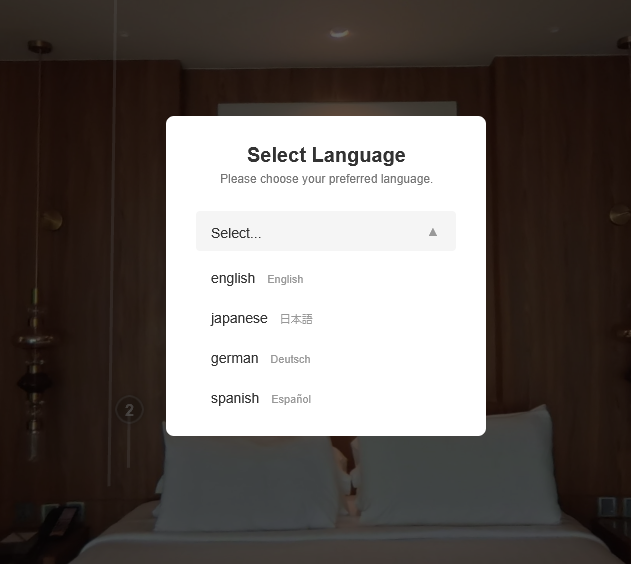
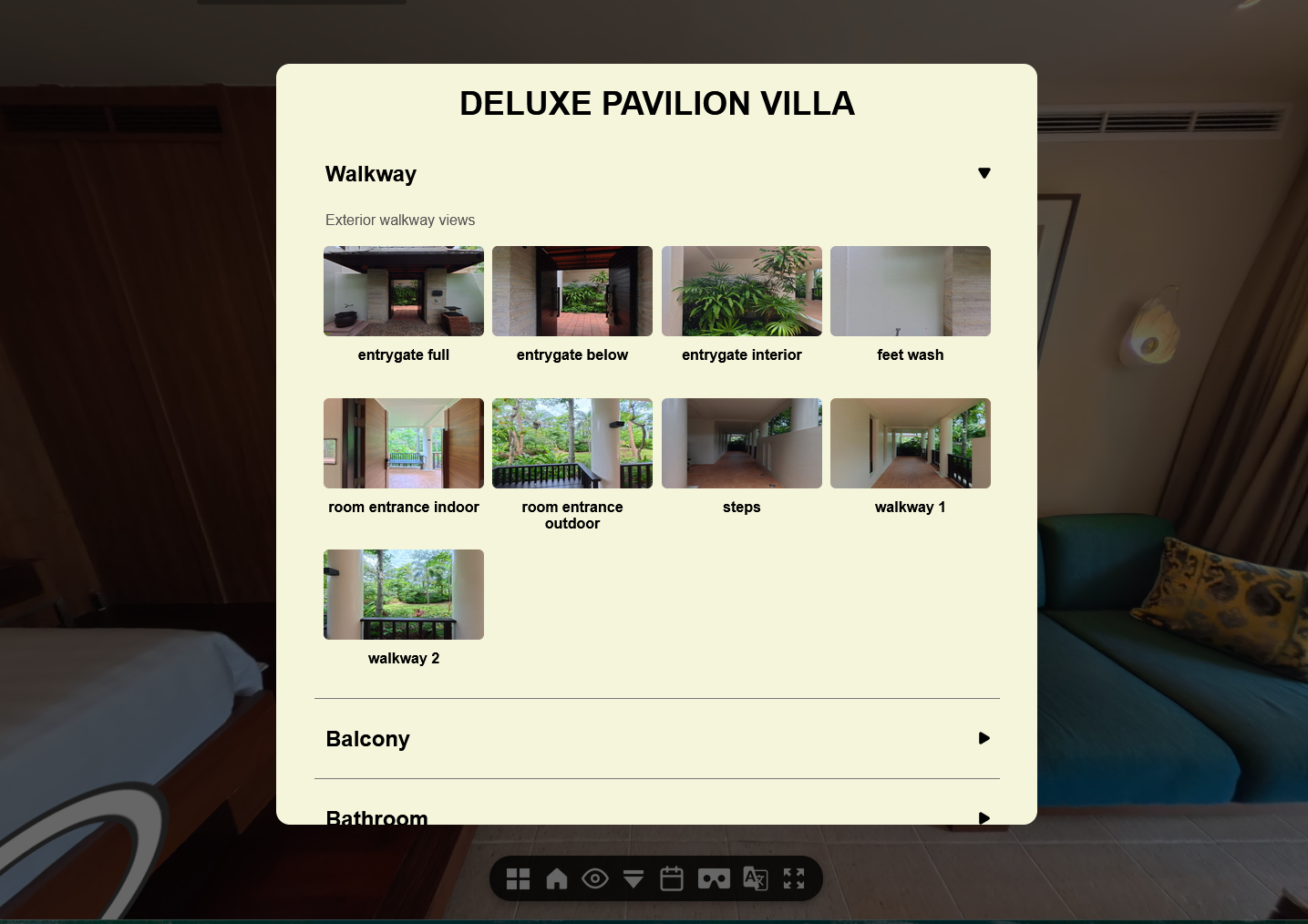
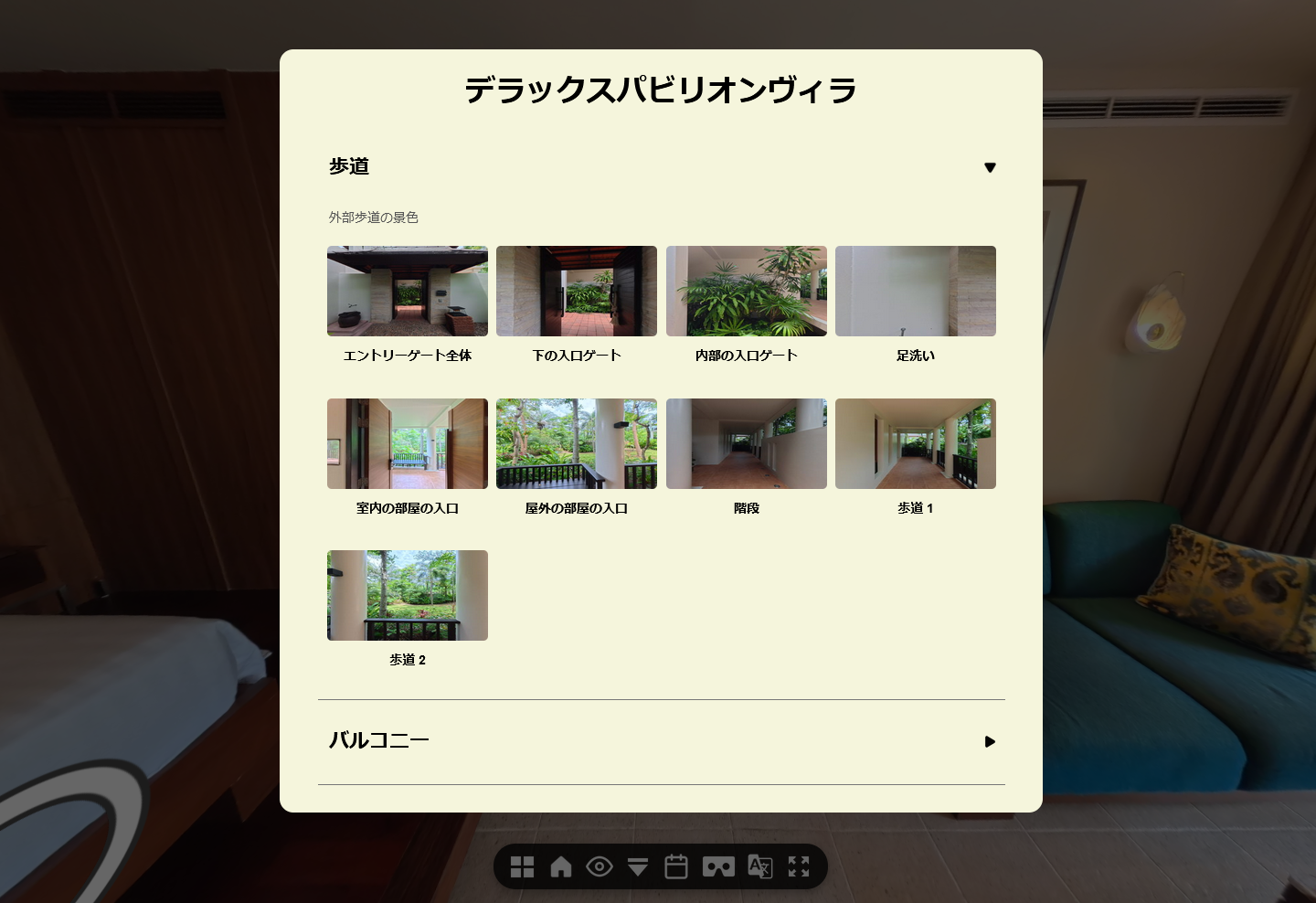
Communication happens in many ways. While pictures speak a thousand words, curated text can inform and guide a viewer with just a few. Many webpages offer multi-language display options, but virtual tours differ from standard websites and their text is not easily translated by browsers.
This makes supporting multiple languages the responsibility of the tour software. Effective multi-lingual support requires that a user can change the language without being able to read the current text.
To provide this, a toolbar icon similar to the globally recognized Google Translate icon was added. Selecting it opens a popup with a dropdown menu listing languages paired with their English and native writing, allowing users to identify their language confidently.
After confirmation, the translation must be applied. Live translation and bundled translations were considered. Live translation ensures up-to-date text but risks delays or failure due to network dependency. Bundled translations work offline and allow professional customization, but increase file count and package size.
Bundled translations were chosen for reliability. A three-step workflow was defined: extracting labeled values to a CSV, translating the CSV, and converting it to a file readable by the tour.
A test file was created and prototyping began. Text stored in layer objects could often be updated, but inconsistencies emerged. Three cases were identified: singleton objects, html with connected variables, and html written with static text.
Static html text proved most difficult, especially within a custom grid plugin. If the language was changed after the grid loaded, the original language remained stuck on screen.
Rather than addressing every edge case, a simpler solution was implemented. When the language changes, the tour recreates affected plugins and layers. While less elegant and potentially incompatible with encrypted plugins, this approach works in most cases and can be extended later.
Further research revealed that krpano supports overwriting xml values directly. This allows translation files containing only the necessary values to be loaded at runtime with a single line, simplifying the system and improving reliability.
With this approach, multi-language support can now be provided for virtual tours, expanding reach and improving viewer engagement and understanding.
Summary
Virtual tours are more than a space for the viewer to enjoy. They are a medium for communication between the creator and the viewer. Creators share visuals, information, and opportunities to engage and take action.
Museums display history, construction sites deliver progress reports, and resorts showcase amenities. In all cases, the tour becomes a conversation between creator and viewer.
This work focused on features that expand communication and make it more accessible. Through these improvements, viewers and creators can better interact through the content in between.